ONE LIST. EVERY STORE.
Your shopping list shouldn't care where you buy it.
Traditional shopping-list apps organize your life around separate store lists. StoreHop does the opposite.
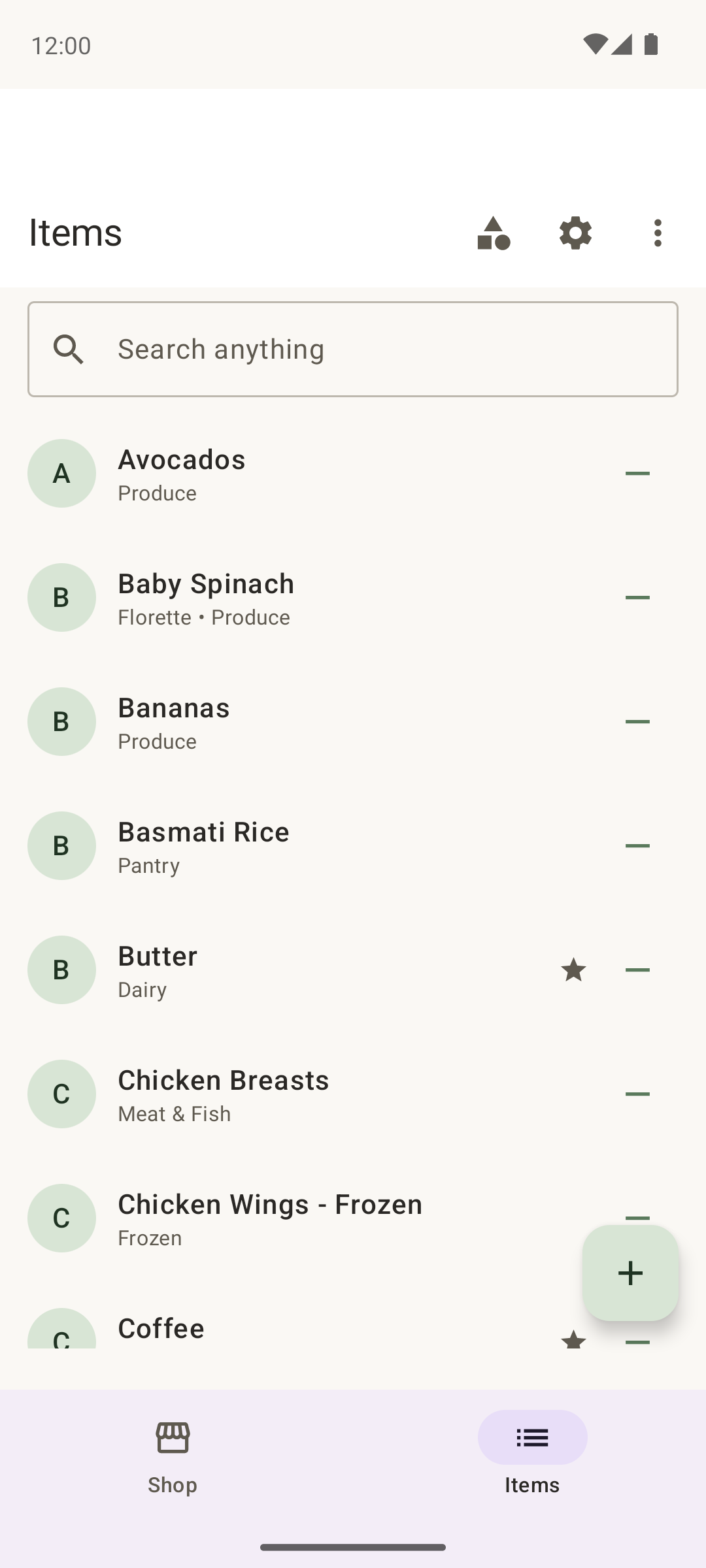
You maintain one master list of everything you need and tell StoreHop which stores normally carry each item. StoreHop takes care of the rest.
Need mozzarella? Add it once.
If you normally buy mozzarella at Kroger, Publix, and Walmart, it automatically appears on all three store views.
Buy it at Publix? Check it off once
and it disappears from Kroger and Walmart too.
One item. Multiple stores. One source of truth.
SHOP WHEREVER YOU HAPPEN TO BE
Never waste a trip to a store you're already in.
Ever walked out of a store only to remember that you needed something they sold? StoreHop helps prevent that.
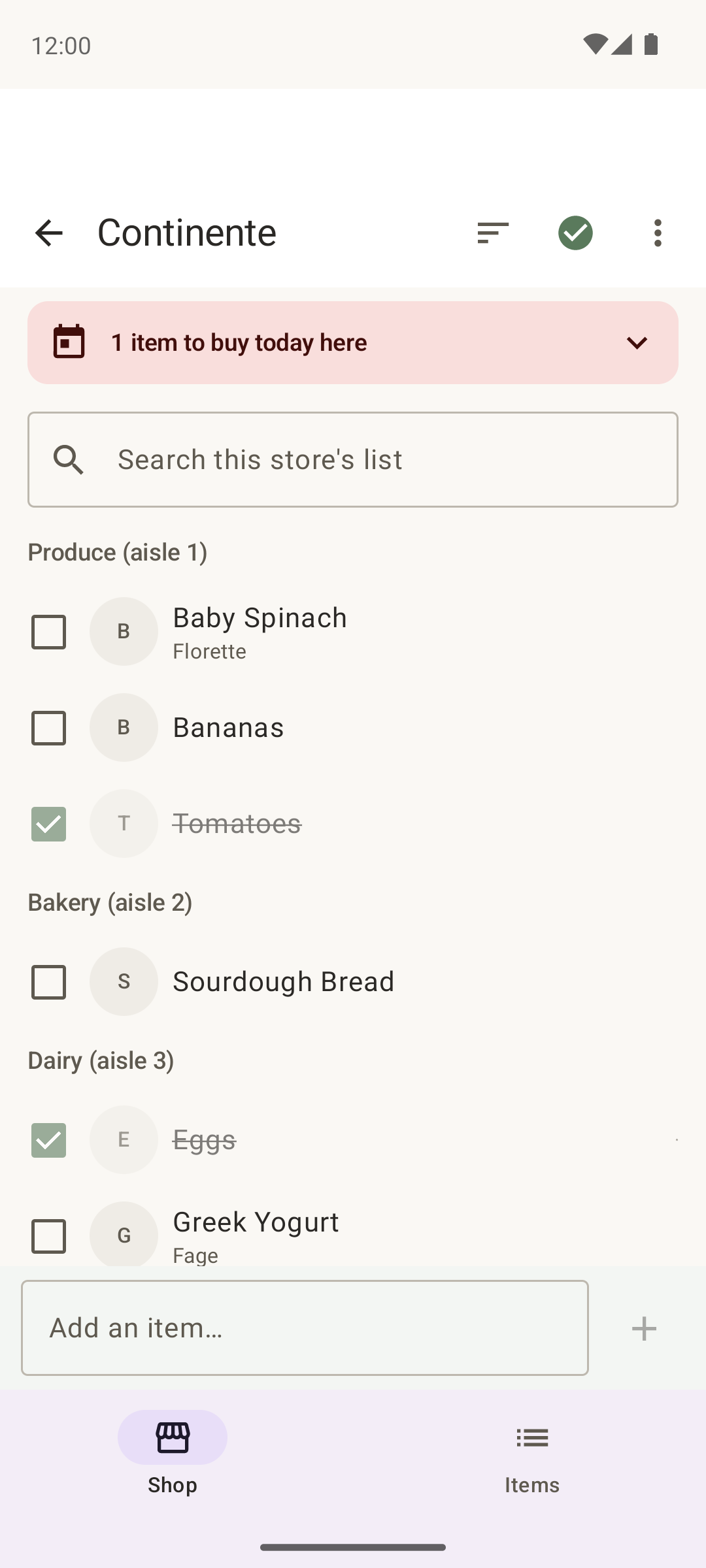
Open the app whenever you're at a store and StoreHop shows you everything you currently need that you normally buy there.
You don't have to decide beforehand where you're going to buy the milk, toothpaste, paper towels, or dog food.
Just tell StoreHop what you need. Then buy it wherever it's most convenient.
SEE HOW STOREHOP WORKS
Milk, from list to cart, in five steps
Add it once
Add Milk to your master shopping list.
Let StoreHop know where you are able to buy it
Milk might be available on your Aldi, Walmart, and neighborhood grocery store views.
Shop anywhere
You're already at Aldi, so StoreHop reminds you that milk is on your list.
Check it off once
Buy the milk and mark it purchased.
It's gone everywhere
StoreHop automatically removes Milk from the other store views.
That's the StoreHop difference.
YOUR LIST. IN THE ORDER YOU ACTUALLY SHOP.
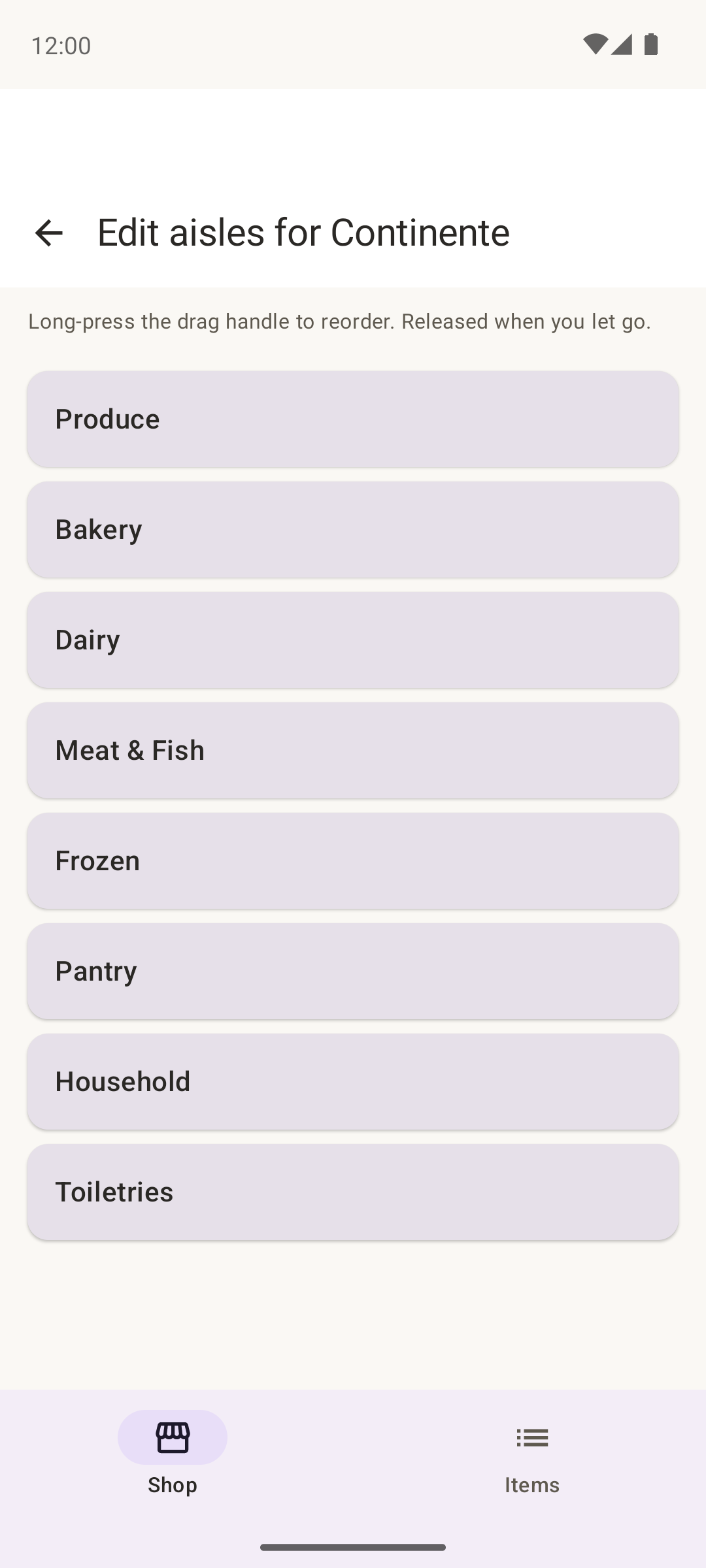
Stop zigzagging across the store.
The produce section might be near the entrance at one store and at the back of another.
StoreHop lets you arrange categories independently for every store, so your shopping list follows the way you actually walk through that location.
Put Produce first at one store, Bakery first at another, and Pharmacy last at a third. Your items are automatically grouped into those categories, giving you an efficient, aisle-aware shopping list wherever you shop.
Less backtracking. Less wandering. Faster shopping.
DON'T FORGET THE THINGS THAT MATTER
Some groceries are more important than others.
Running out of cookies is inconvenient. Running out of milk before breakfast with a house full of kids is a different problem.
Mark important items as Critical, and StoreHop makes them stand out whenever you're shopping somewhere that carries them.
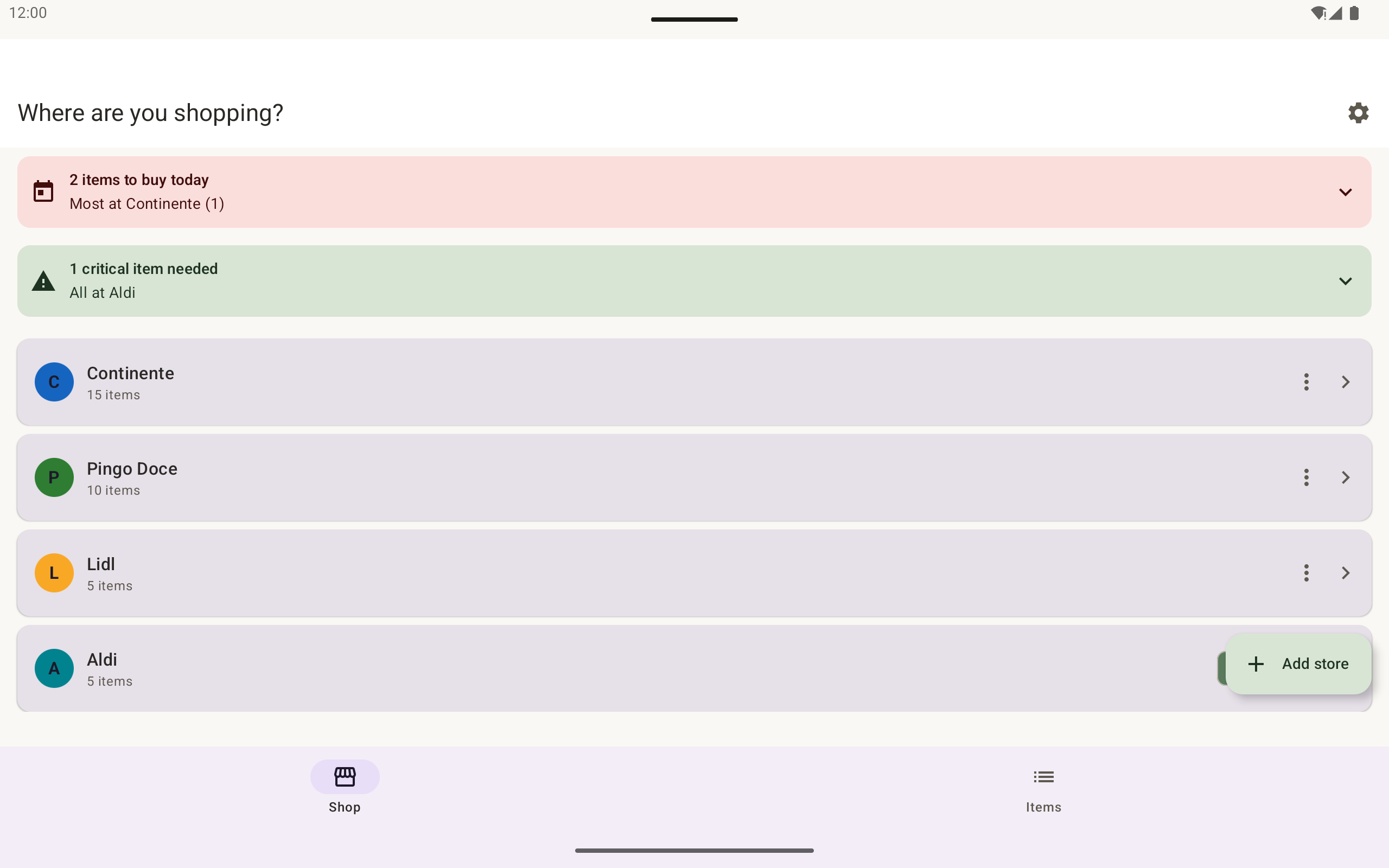
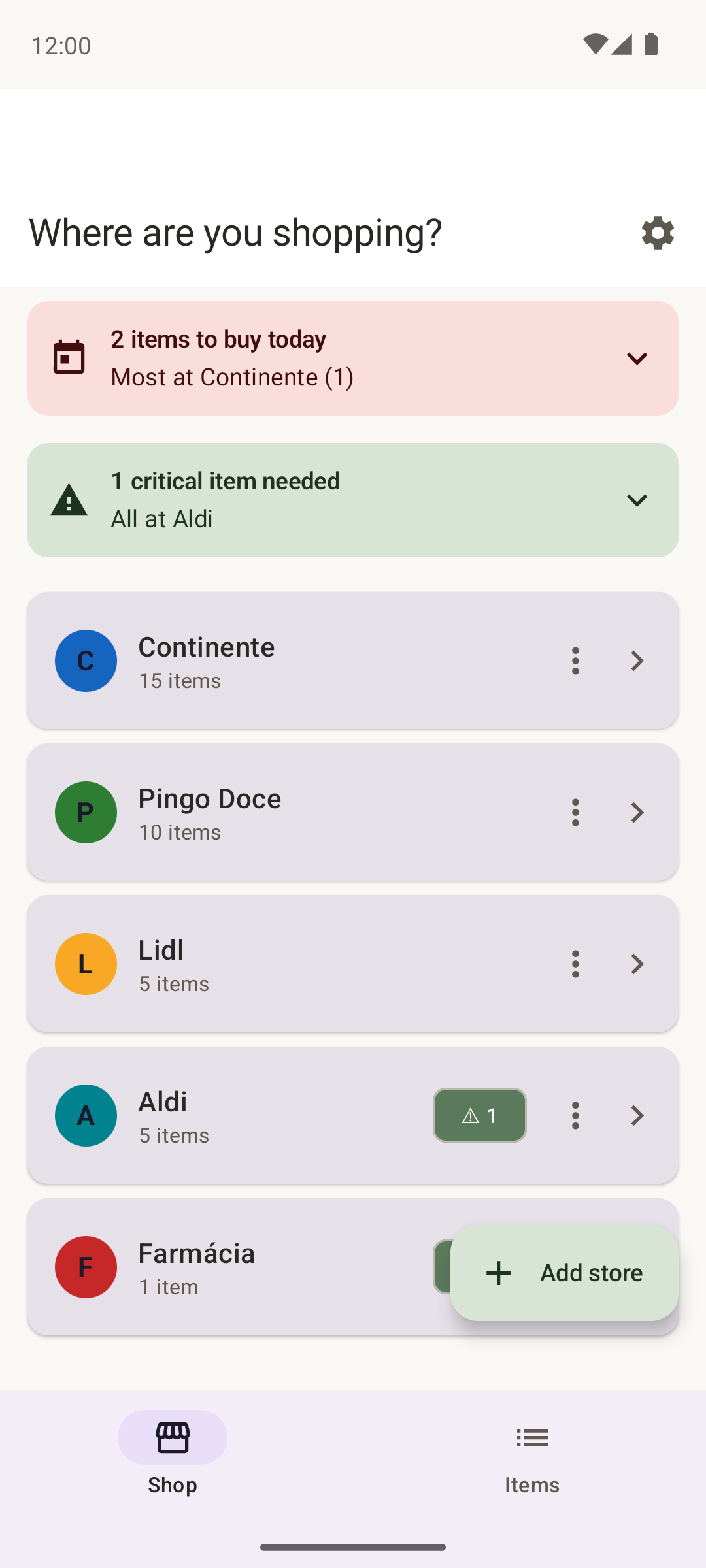
Need something before the end of the day? Mark it Buy Today, and StoreHop helps you identify which stores you need to visit to finish today's shopping.
2 items to buy today
Most at Continente (1)
1 critical item needed
All at Aldi
BUILT FOR THE WAY YOU REALLY SHOP
Everything you need. Nothing you don't.
One Master List
Add an item once instead of maintaining duplicate shopping lists.
Multi-Store Items
Associate the same item with every store where you normally buy it.
Automatic Check-Off
Buy an item at one store and it's removed from every other applicable store.
Store-Specific Views
Walk into a store and immediately see everything you currently need there.
Critical Items
Make can't-forget purchases impossible to overlook.
Buy Today
Flag purchases that need to happen today and see which stores can complete the job.
Aisle-Aware Shopping
Arrange categories separately for each store to match its physical layout.
Always on the List
Keep staples visible after they're purchased so they're ready to reactivate the next time you run out.
Product Photos
Attach a photo so you—or someone shopping for you—can identify exactly which product to grab.
Quick Add
Add something directly from a store view and StoreHop handles the master-list connection.
Flexible Sorting
Shop alphabetically or group items by your customized categories.
Custom Stores & Categories
Use StoreHop's starter collection or create your own stores, categories, and household-specific organization.
YOUR SHOPPING HABITS ARE YOUR BUSINESS.
No ads. No sponsored products. No tracking what you buy.
A grocery list can reveal a surprising amount about your household. StoreHop doesn't need to turn that information into an advertising profile.
There are no ads, no sponsored stores, and no analytics tracking what you shop for. You don't even need to create an account. Install StoreHop and start shopping.
Google sign-in is optional if you want cross-device synchronization and protection when reinstalling the app.
MADE FOR HOUSEHOLDS, TOO
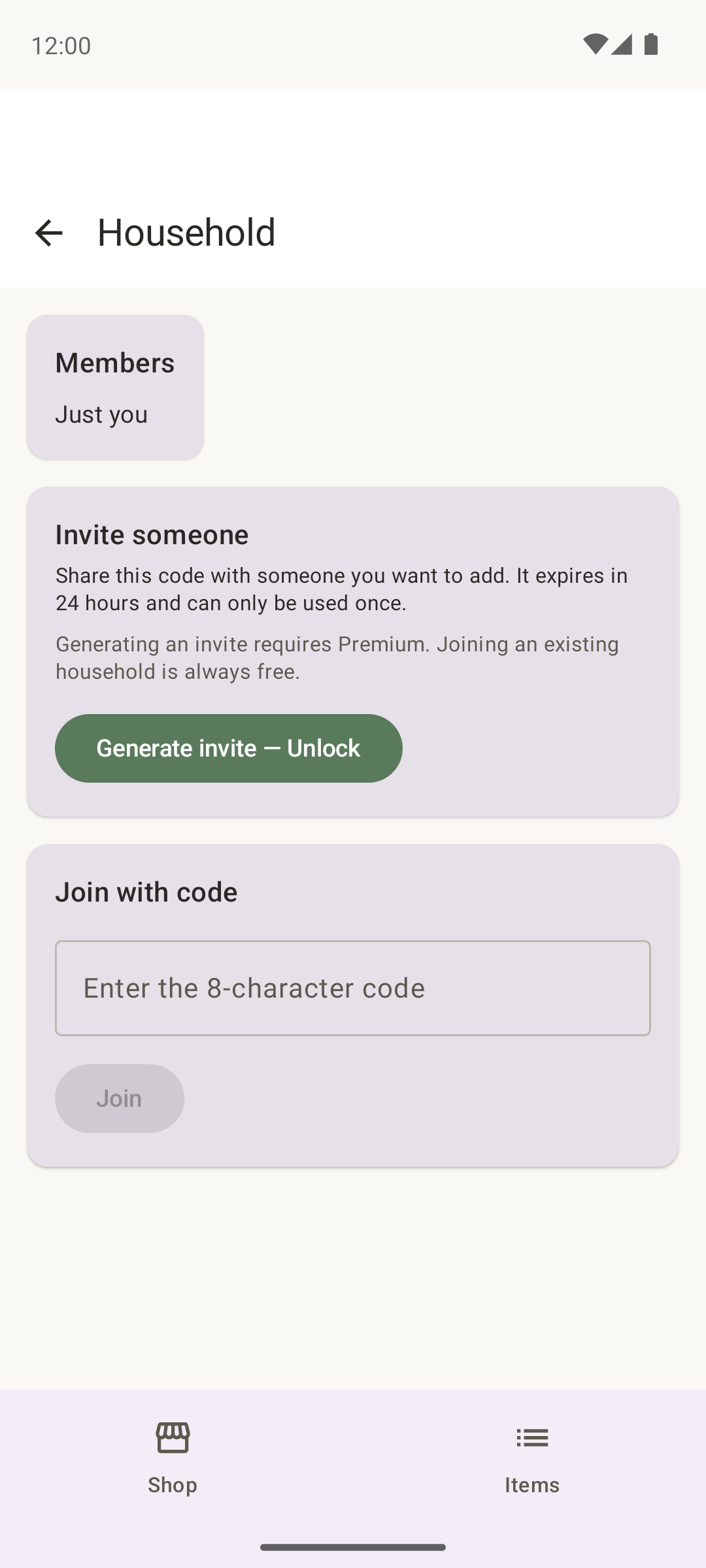
Shopping together? Keep everyone on the same list.
With optional Multi-User Sync, household members can share their StoreHop data so everyone knows what's needed.
Someone picks up the milk? The list updates so nobody else comes home with another gallon.
Multi-User Sync is available as a paid upgrade.
FREE. AD-FREE. READY TO SHOP.
Your grocery list finally understands that you shop at more than one store.
Stop maintaining separate lists. Stop adding the same item over and over. Stop missing the chance to buy something simply because it wasn't on that store's list.
With StoreHop, you tell the app what you need. StoreHop tells you where you can get it.
Add it once. Shop anywhere.
Free to use • No ads • English & Português (Portugal)